
Whatsapp with Eloqua
Send Whatsapp messages from your Eloqua Canvas
WhatsApp Integration allows you to send and receive messages through WhatsApp.
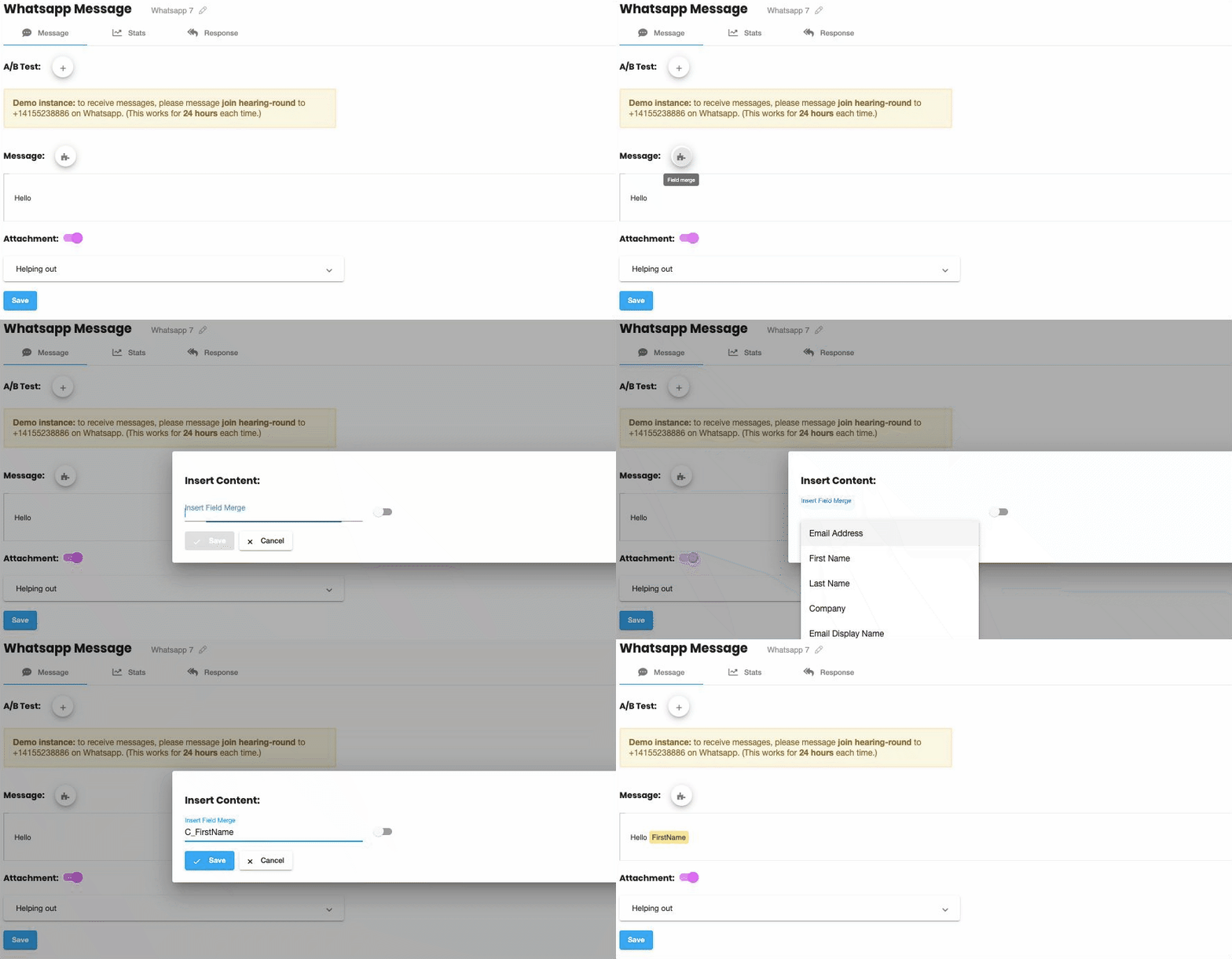
Contact & CDO Field-Merges
Personalize your messages with contact & custom object fields.
Powerful Analytics
See what works with powerful reporting. See which specific contacts have responded, and use that to personalize & target your campaigns (just like you already do with emails).
“One Click” A:B Testing
Run split-tests with a single click. Compare click-through rate to see what works.
Contact Activities (see who clicked)
Clicks, sends, and responses are associated to contacts. See exactly who responded & use this to personalize & target your campaigns.
API Availability
We can provide access to the software – but you will also need access to the WhatsApp API.
WhatsApp is currently being slow to approve API accounts. You can purchase the WhatsApp channel now, but you will not be charged until you have been granted API access by WhatsApp and it has been fully enabled.
Features
The feature set is very similar to SMS:
- Built-in A:B testing
- Built-in analytics
- Personalize and send WhatsApp messages from your Eloqua campaigns
- Generate personal short-URLs for each contact which provide built-in tracking
- Data on contact clicks & sends is imported back into Eloqua
- Field-merges from contact & CDO fields
Personalize at Scale
Send personalized Whatsapp messages, and see exactly which contacts have responded with unique short-URLs
Merge-in any contact or custom object field
Insert any field-merge with a click; whether it's a contact field or a custom object.
Magical short-URLs
Every contact gets their own unique short-URL. These links are tracked, so you can see exactly who has responded.
Personal Landing Pages
Our special short-URLs let you personalize your Eloqua landing-pages too, including:
- Field merges
- Dynamic content
- Pre-populated (or invisible) forms
No cookie? No problem!
This works even when the contact doesn't have any Eloqua cookie.
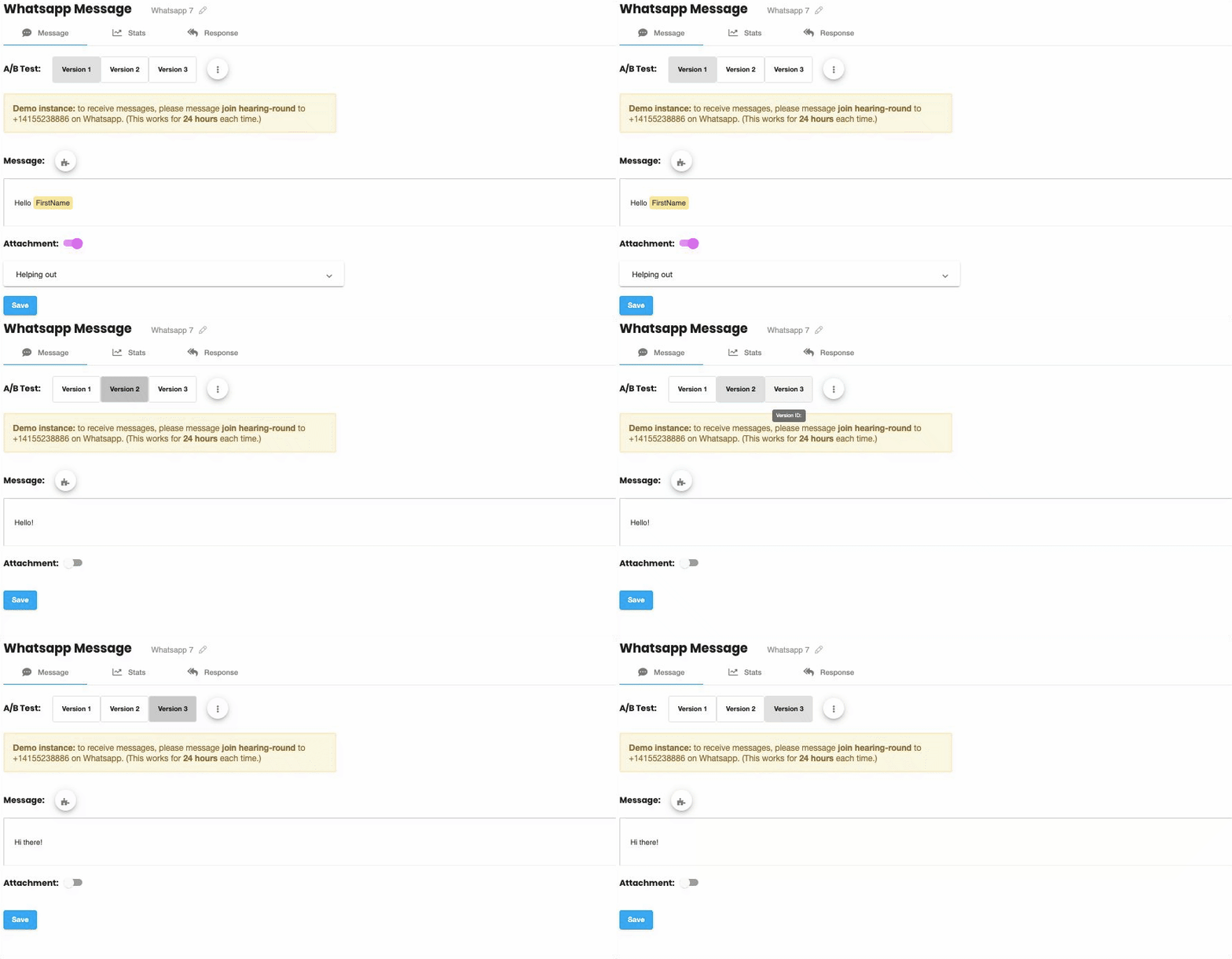
"One Click" A:B Testing
We've made split-testing simple
Add A:B tests with a single-click. Create as many different split-test versions as you want, then compare click-through rate to see exactly what works.
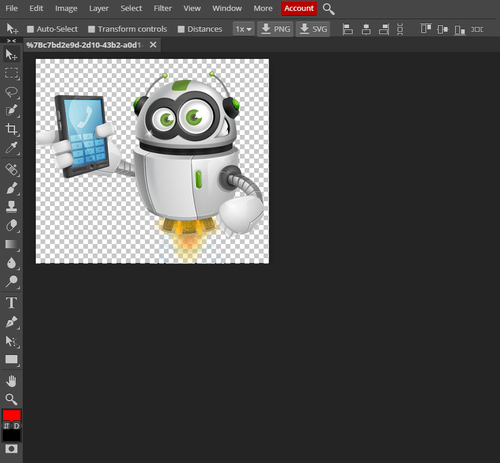
Advanced Image Editor
Want to change the image, no problem!
Our inbuilt advanced image editor lets you edit directly in the application. Making edits seamless. Some examples of edits:
- Spot healing
- Red eye
- Clone
- Blur
- Draw shapes: rectangle, ellipse, line, custom shapes
- Type Tool
- Paint bucket
- Gradient
- Dodge, burn and sponge
Analytics
Powerful reporting, built in
See what works. The built-in dashboard includes:
- Summary view: Clickthrough-rate, responses, delivery, and more.
- Split-test view: See all this data for each split-test version.
- Timeline-view: And this is all summarized over-time in the timeline view.
- Contact-activities: See which exact contacts responded, and use this data to directly personalize your campaigns.