LinkedIn Automation with Eloqua
Send "semi-automatic" LinkedIn messages with Eloqua.
LinkedIn Automation allows you to create a "semi-automatic" series of LinkedIn messages. You place the connector onto your campaign, and this will queue up contacts with suggested messages. Your salespeople can then very quickly review and instantly send these suggested messages – or choose to modify them, 'snooze' them for later, or cancel them.
Human Touch – At Scale!
By automatically queuing messages, but allowing for manual review and modification – you get tremendous efficiency without sacrificing an authentic human-touch.
More Than a Reminder
The semi-automatic sending gives your salespeople far more than a reminder: they have a suggested and pre-personalised message. This can be sent immediately, or modified.
Personalization
The LinkedIn messages have the same personalisation features as our other channels: field-merges and personalised short-URLs
Personalize at Scale
The LinkedIn messages have the same personalisation features as our other channels: field-merges and personalised short-URLs
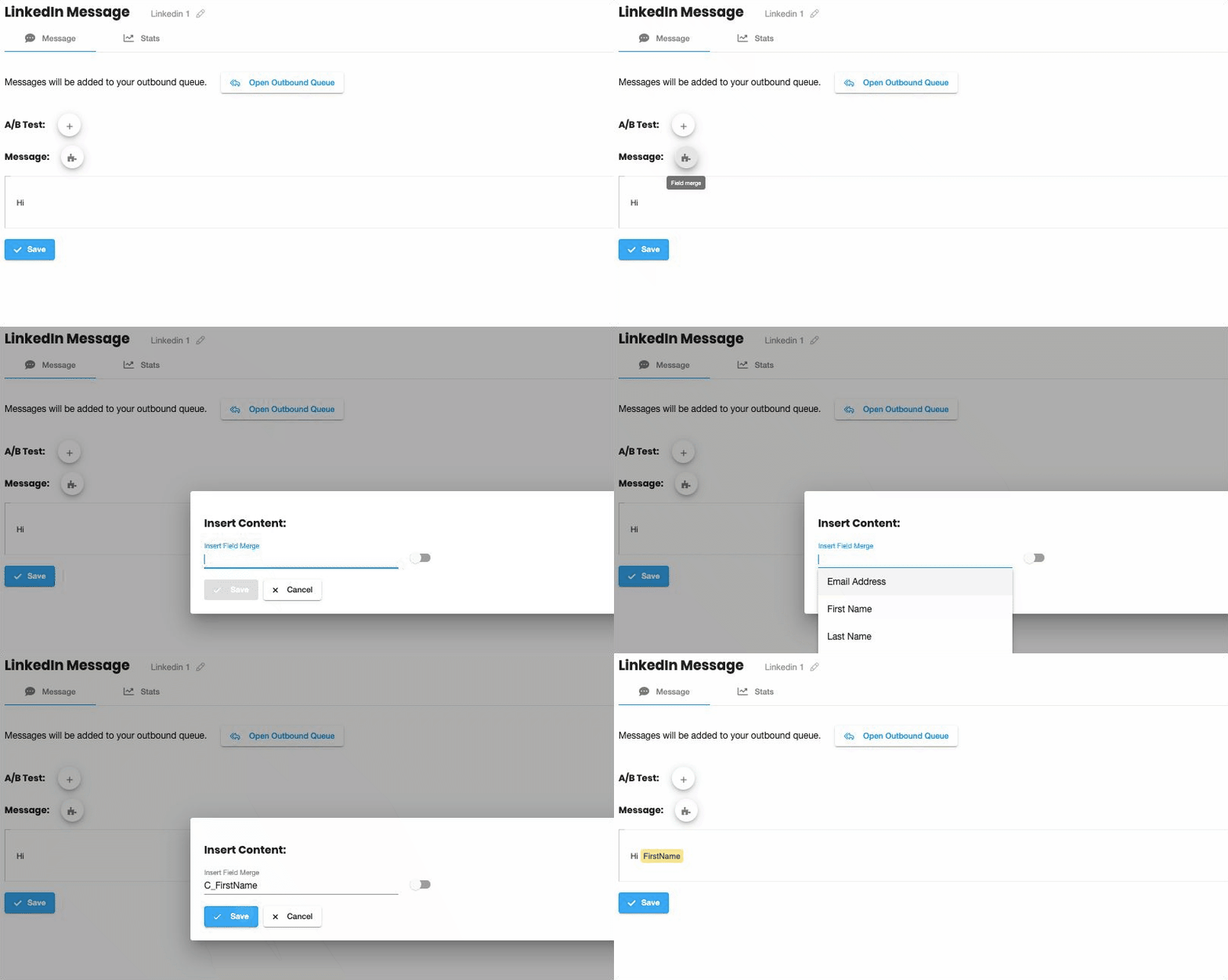
Merge-in any contact or custom object field
Insert any field-merge with a click; whether it's a contact field or a custom object.
Magical short-URLs
Every contact gets their own unique short-URL. These links are tracked, so you can see exactly who has responded.
Easy to use
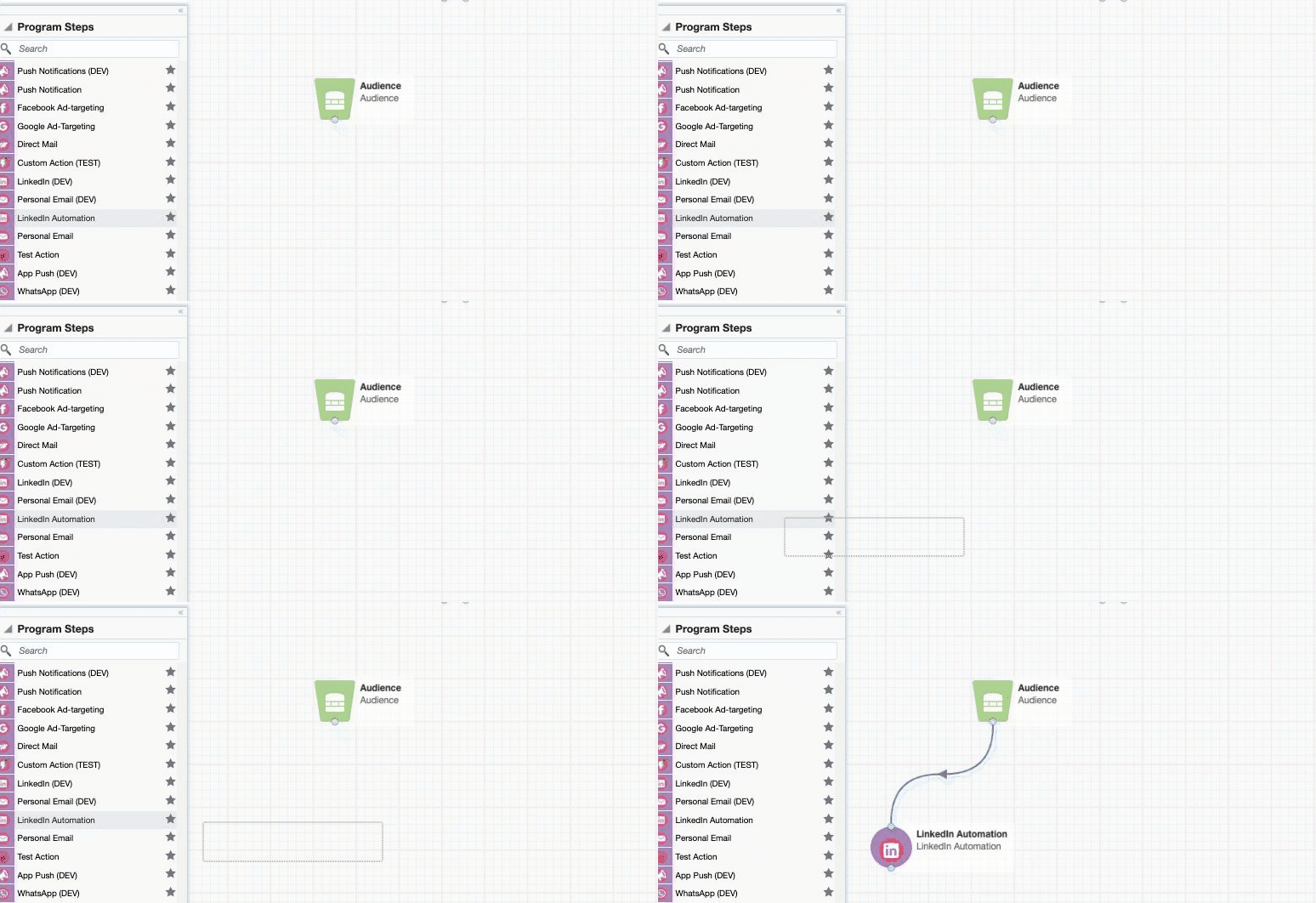
You already know how to use it
Simply drag and drop the LinkedIn campaign step onto your campaign canvas.
"One Click" A:B Testing
We've made split-testing simple
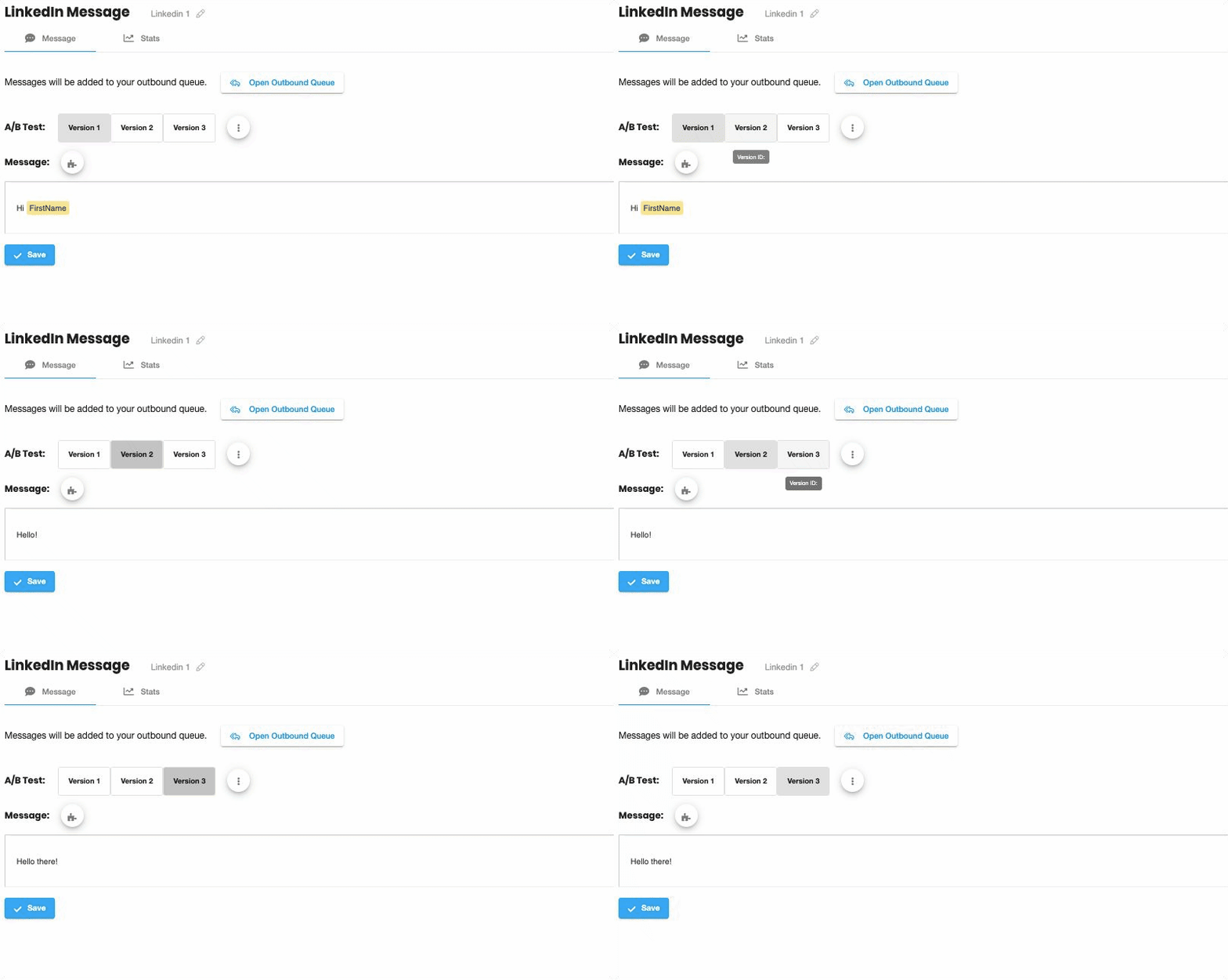
Add an A:B test with a single-click. Create as many different split-test versions as you want, then compare responses to see exactly what works.
Analytics
Powerful reporting, built in
See what works. The built-in dashboard includes:
- Summary view: Click-through rate, responses, delivery, and more.
- Split-test view: See all this data for each split-test version.
- Timeline-view: This is all summarized over time in the timeline view.
- Contact-activities: See which exact contacts responded, and use this data to directly personalize your campaigns.