
Add or Remove Contacts
You can choose to remove contacts from specific Custom Audiences, as well as add. This gives you greater flexibility – e.g. the ability to automatically remove buyers from advertising audiences as they purchase.
Manage Custom Audiences
You can view, create, and manage your Custom Audiences directly from Eloqua via the connector – providing a very convenient workflow.
Highest Match Rates
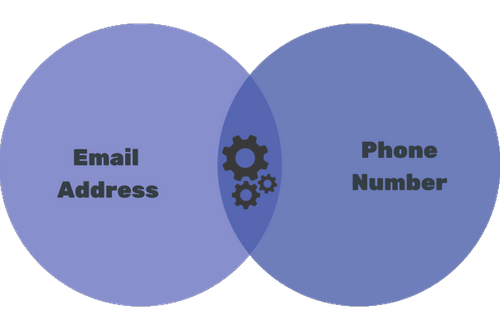
Contacts are matched using both their email address and phone number, considerably increasing match rates.
YouTube Included
YouTube uses the same targeting lists as Google Ads, so you can also target YouTube ads using this connector.
Easy to use
You already know how to use it
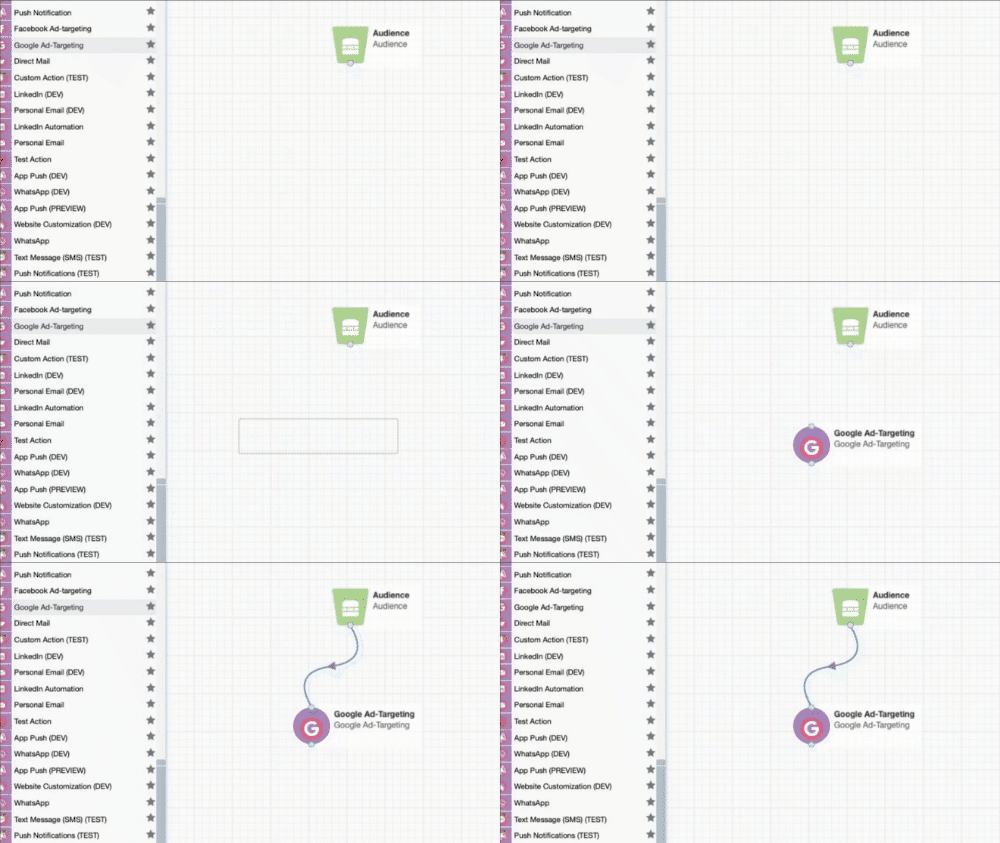
To start, you place your Google Ad-Targeting action onto your Campaign Canvas.
Manage Custom Audiences
Custom audiences, made really simple
Manage Google Ads custom audiences direct from your Eloqua Canvas. Our integration makes it easy to create, update, and maintain your advertising audiences without leaving your marketing automation platform.
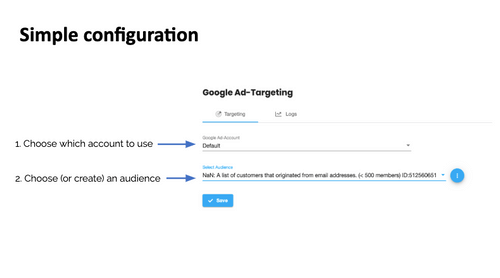
Simple Configuration
Google & YouTube ads configuration with Eloqua
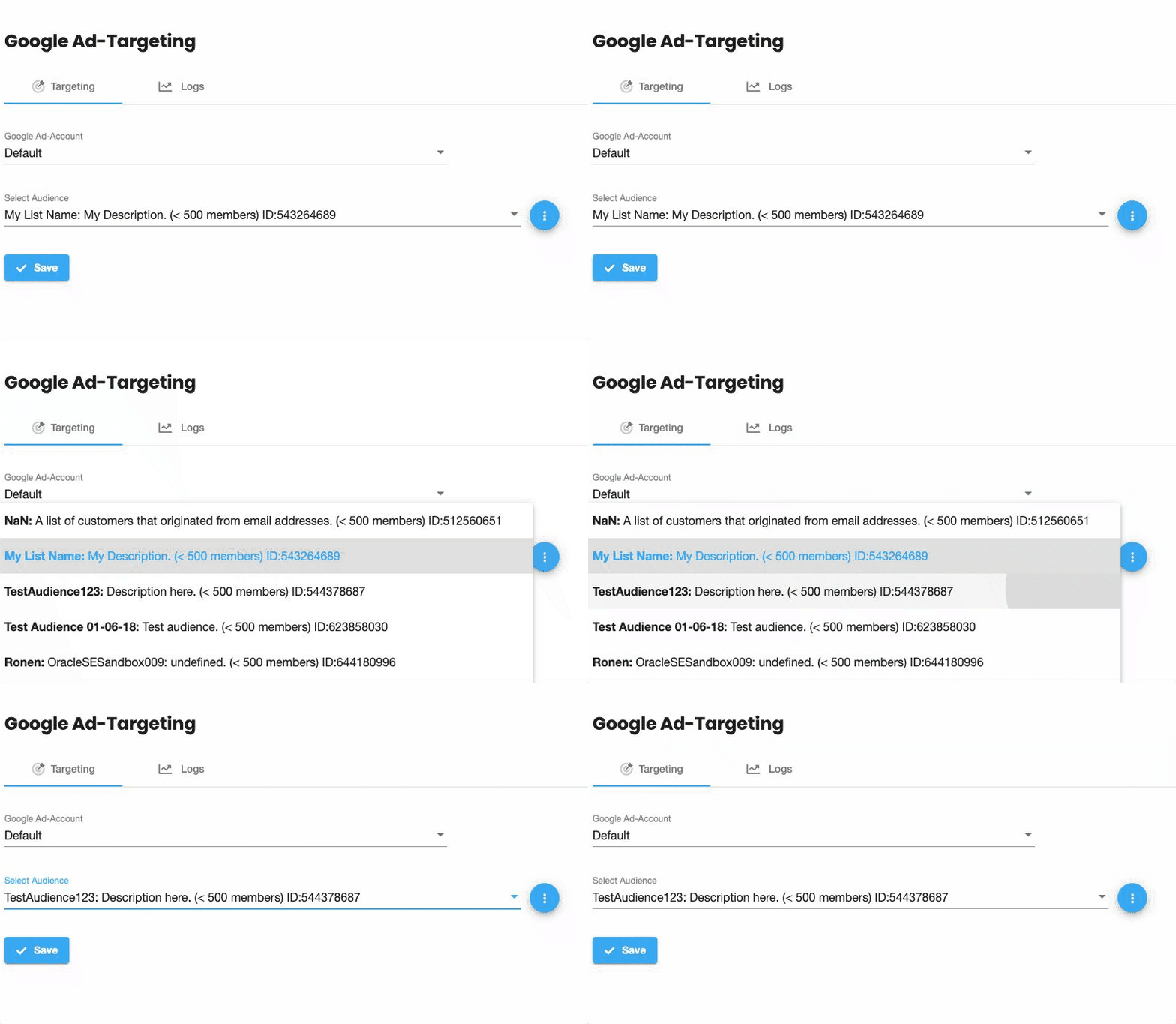
Start by choosing which account to use and then simply choose/create your custom audience. The intuitive interface makes setup quick and straightforward.
Highest Match Rates
Incredible contact matching with Eloqua
Matching is based upon hashed email address and phone number, using a one-way-only hashing algorithm for enhanced privacy and data-safety. The match-rates will vary. Typically a majority of contacts can be matched, but this will never be 100%.