
Simple Subscriptions
With web-push, users can subscribe with a simple click from your website. With app-push, your users subscribe by installing your mobile app.
Powerful Analytics
See what works with powerful reporting. See which specific contacts have responded, and use that to personalize & target your campaigns.
Merge-Fields
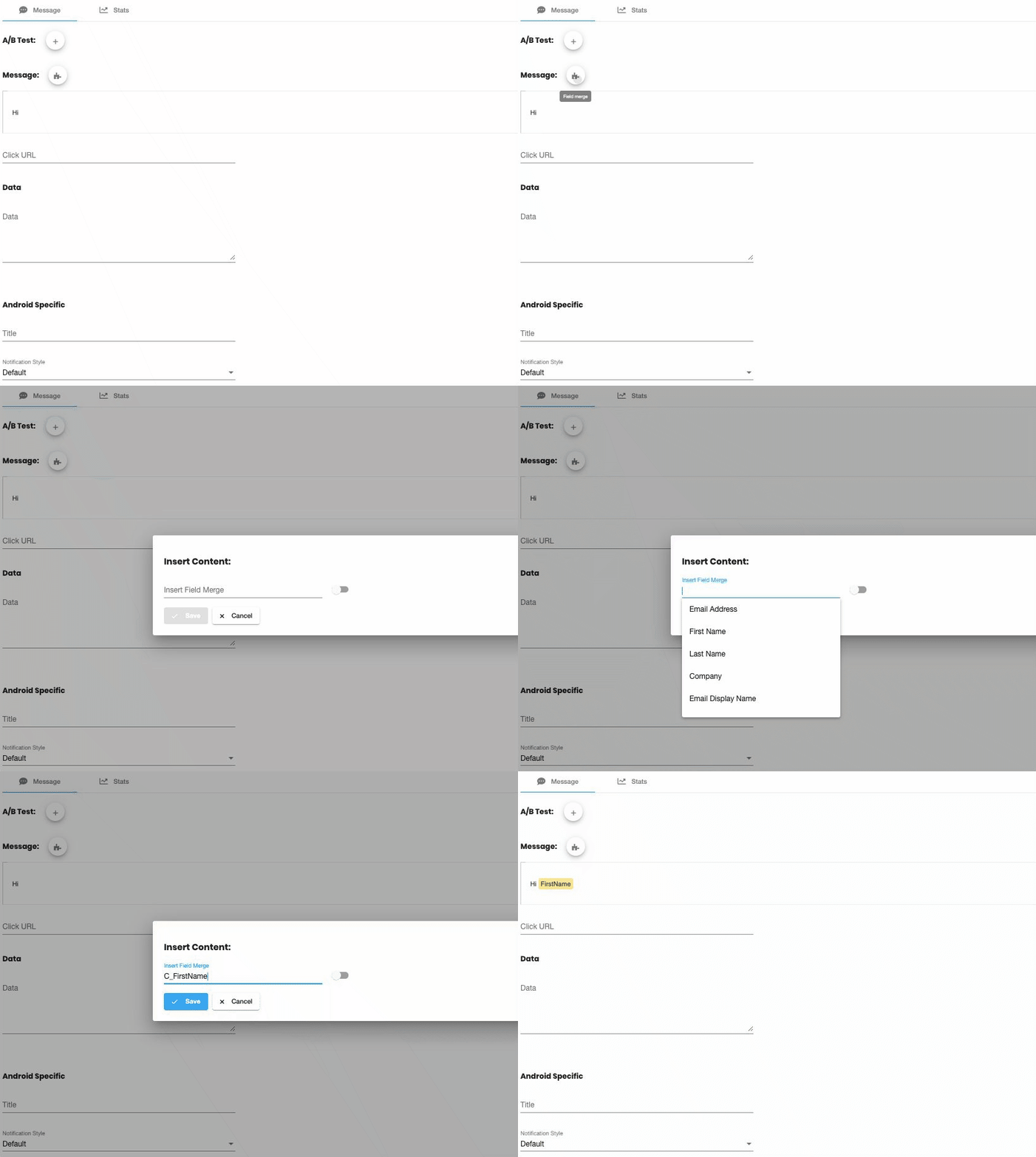
Insert field-merges into your message which will be replaced with the contact’s information. A live preview is shown below of the full, merged result.
Push Works 8x Better
Push works up to 8 times better than email, based upon published statistics.
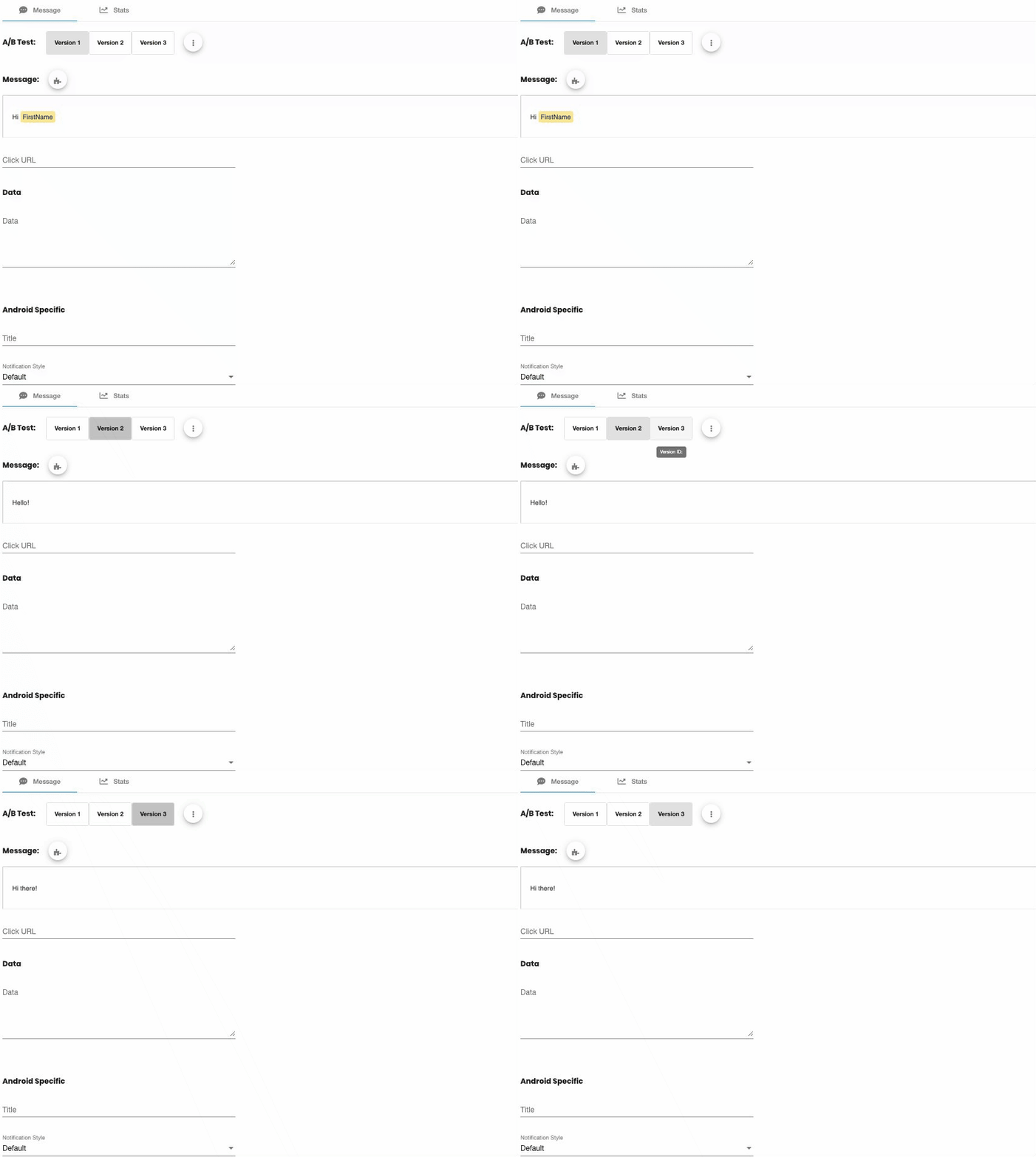
“One Click” A:B Testing
Run split-tests with a click. Compare click-through rate on different versions of your message.
Integrated For You
Our team will work directly with you (or your agency) to integrate push into your website or app.
Personalize at Scale
Send personalized notifications, and see exactly which contacts have responded with unique short-URLs.
Merge-in any contact or custom object field
Insert any field-merge with a click; whether it's a contact field or a custom object.
Magical short-URLs
Every contact gets their own unique short-URL. These links are tracked, so you can see exactly who has responded.
Personal Landing Pages
Our special short-URLs let you personalize your Eloqua landing-pages too, including field merges, dynamic content, and pre-populated forms.
No cookie? No problem!
This works even when the contact doesn't have any Eloqua cookie.
Easy to Use
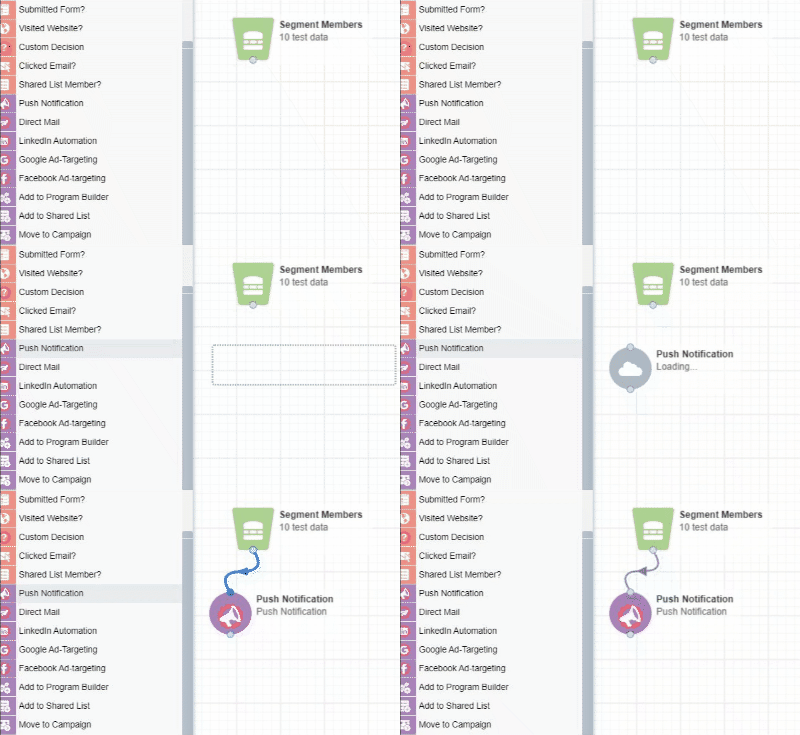
You already know how to use it
You can send highly personalized Push Notifications directly from your Eloqua Campaigns. To start, simply place our Push Notification action to your campaign.
"One Click" A:B Testing
We've made split testing simple
Fill in the sections and instantly see how your Push Notification will look as you build. There is also a tool to insert field-merges into your message which will be replaced with the contact’s information and you can add an image.
Clickable and Buttons
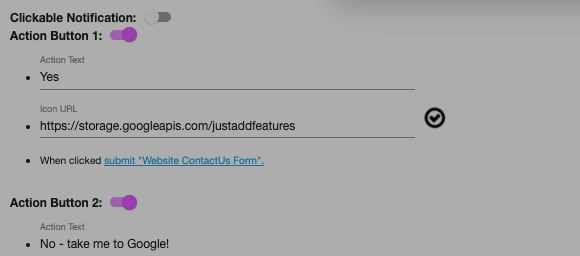
Make your push clickable and add action buttons
If you choose to make your Push Notification clickable, you can take them to a website or Eloqua form. You can add up to two buttons, with quick add an icon option. View you preview instantly.
Quick Test
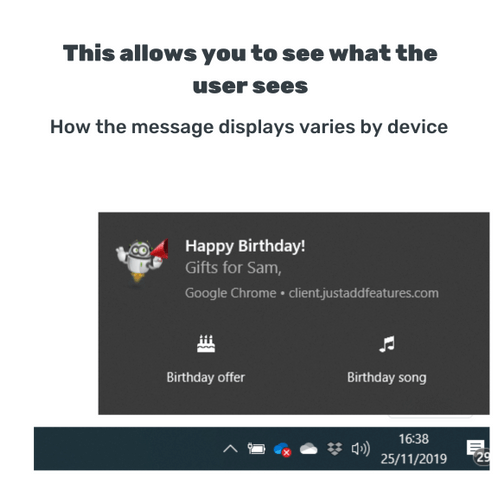
Instant test by sending to any email
Quickly test your Push Notification when you save, directly to your PC or phone.
Analytics
Powerful reporting, built in
See what works. The built-in dashboard includes:
- Summary view: Clickthrough-rate, responses, delivery, and more.
- Split-test view: See all this data for each split-test version.
- Timeline-view: And this is all summarized over-time in the timeline view.
- Contact-activities: See which exact contacts responded, and use this data to directly personalize your campaigns.

Two Products, Sold Separately
Important: We have two separate push notification products.
Web Push
Subscribe with a click. No app-install needed.
Web-push allows contacts to subscribe by simply clicking “OK” to a notification on your website. This provides a powerful, simple method of communicating with your users and does NOT require any mobile-app.
App Push
Integrate your mobile-app push messaging with Eloqua.
App-push is perfect if you have users who have subscribed via mobile app install. This allows you to integrate your mobile-app with Eloqua so you can target app-users with push notifications right from the Eloqua campaign canvas.