
Text Messaging for Eloqua
Send SMS text messages from your Eloqua campaigns
Our SMS (text message) connector adds a new campaign step to Eloqua. This means you can send text messages with the same user-friendliness & personalization of an Eloqua campaign.
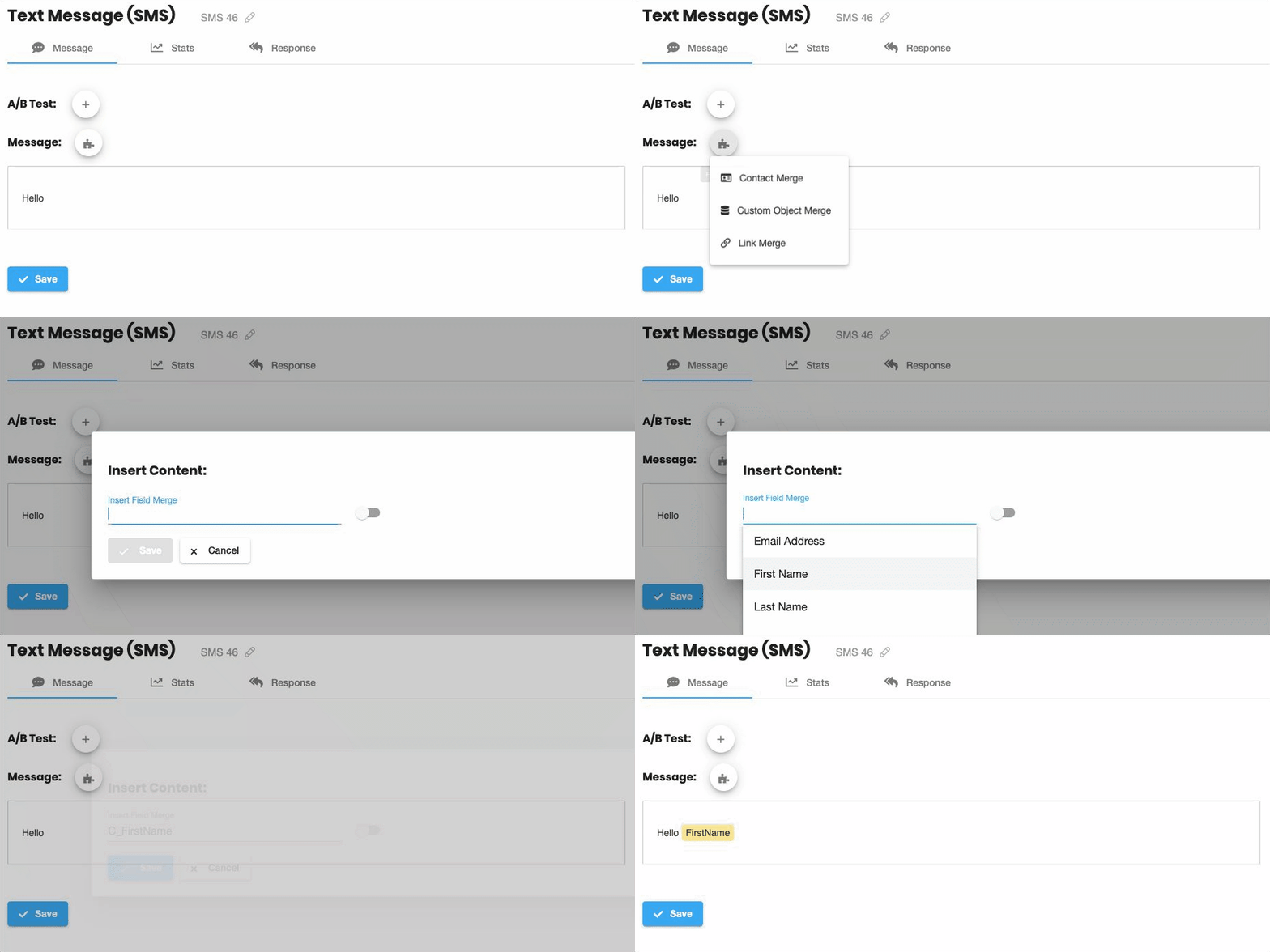
Contact & CDO Field-Merges
Personalize your messages with contact & custom object fields.
Powerful Analytics
See what works with powerful reporting and which specific contacts have responded.
“One Click” A:B Testing
Run split-tests with a single click and compare click-through rate to see what works.
Triggered or Bulk SMS
Use the power of Eloqua to send personalized messages, from bulk sends to individual triggers.
Contact Activities
Clicks, sends, and responses are associated to contacts. See exactly who responded.
Two-way SMS
Automatically take actions when your contacts respond using "response rules".
Personalize at Scale
Send personalized messages, and see exactly which contacts have responded with unique short-URLs.
Merge-in any contact or custom object field
Insert any field-merge with a click; whether it's a contact field or a custom object.
Magical short-URLs
Every contact gets their own unique short-URL. These links are tracked, so you can see exactly who has responded.
Personal Landing Pages
Our special short-URLs let you personalize your Eloqua landing-pages too, including field merges, dynamic content, and pre-populated forms.
No cookie? No problem!
This works even when the contact doesn't have any Eloqua cookie.
Easy to use
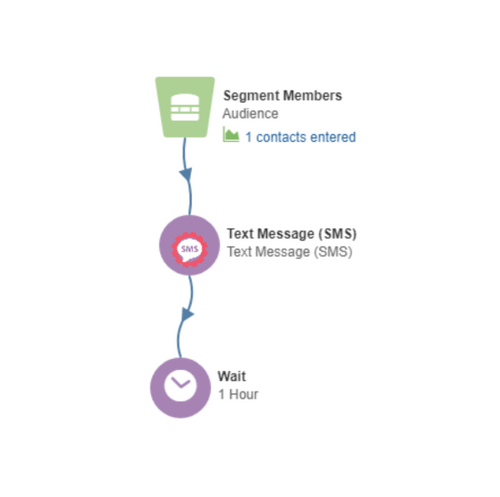
You already know how to use it
Place the SMS campaign/program step, then double-click to set your message.
"One Click" A:B Testing
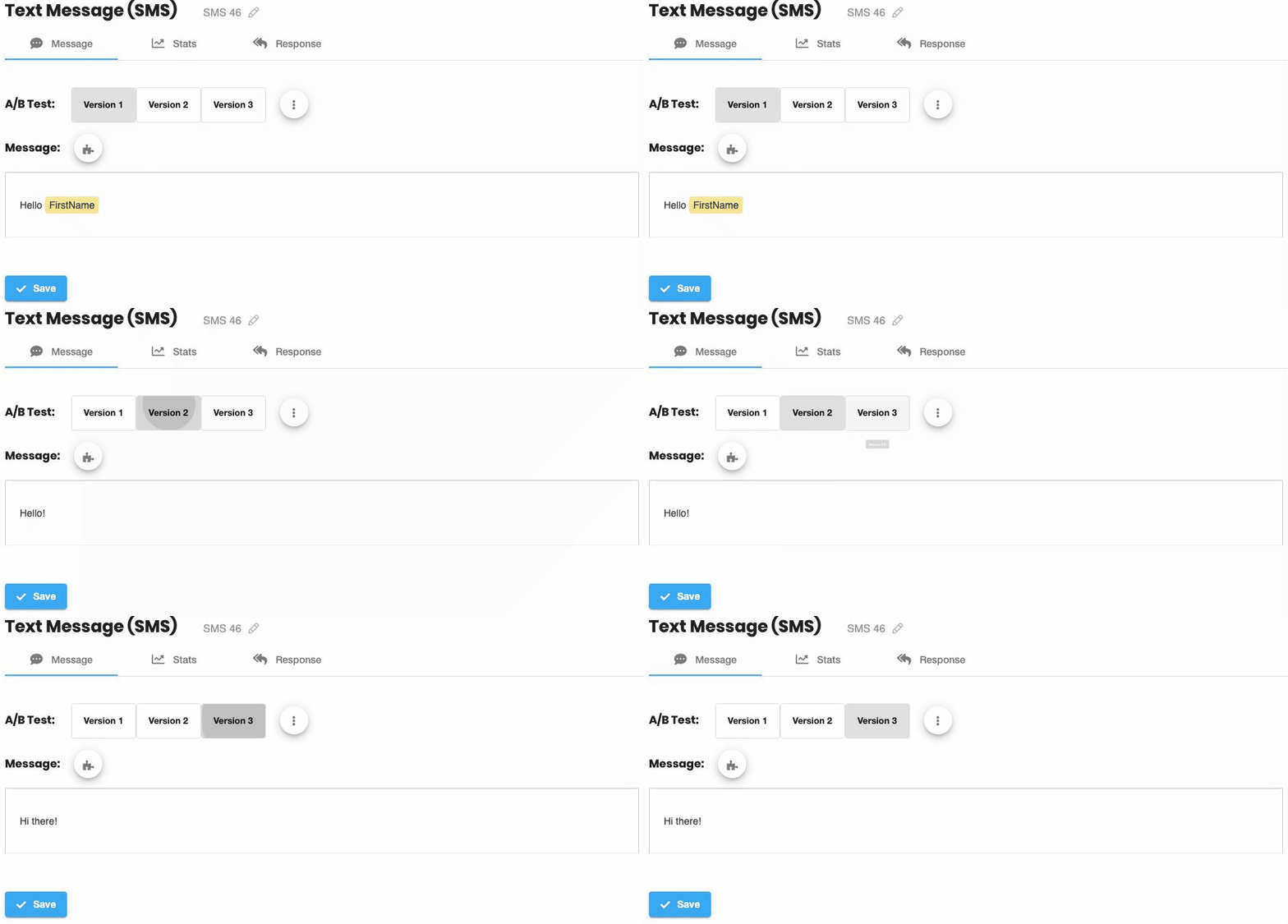
We've made split-testing simple
Add A:B tests with a single-click. Create as many different split-test versions as you want, then compare click-through rate to see exactly what works.
Analytics
Powerful reporting, built in
See what works. The built-in dashboard includes:
- Summary view: Clickthrough-rate, responses, delivery, and more.
- Split-test view: See all this data for each split-test version.
- Timeline-view: And this is all summarized over-time in the timeline view.
- Contact-activities: See which exact contacts responded, and use this data to directly personalize your campaigns.